
Vatech
EzOrtho
Easy to Learn & Use Orthodontic Software
AI-aided tracing · 15 analysis methods · 3D visual communication · Practice management
Easy to Learn & Use Orthodontic Software
EzOrtho streamlines orthodontic diagnosis, treatment planning, and patient communication in one powerful platform.

More Accurate and Reliable
Orthodontists now have access to a more detailed view of patients' conditions thanks to advancements in digital imaging technologies.

Improved Efficiency
Orthodontists can spend more time on individual cases while putting more focus on treating issues rather than identifying them.

Customised Care
The latest orthodontic technologies allow orthodontists to create a highly personalized plan for each patient and to closely track treatment progress.

Better Patient Experience
Digital imaging is not invasive, and therefore causes less to no discomfort to the patient.
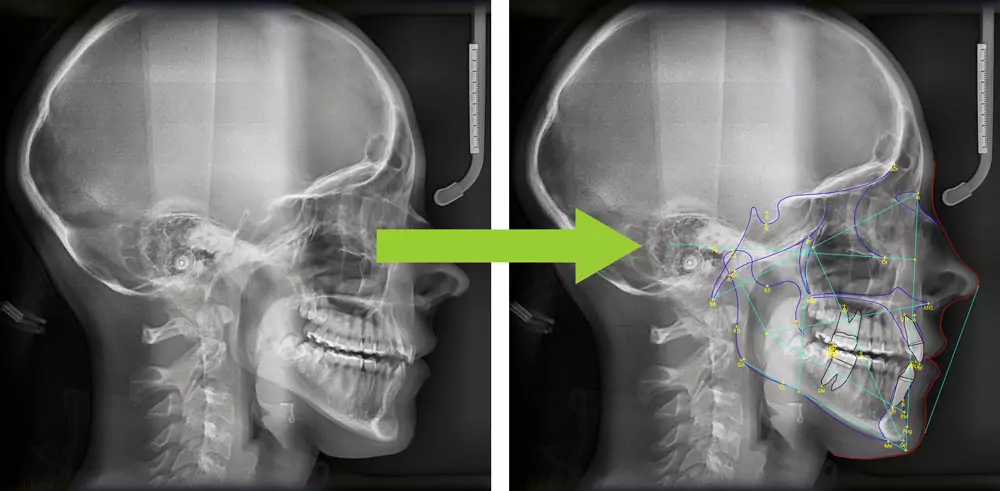
Find 61 Landmarks with One Click
EzOrtho provides an automatic tracing feature (Tracing with DAVIS) which performs the most tedious task in the diagnosis process with a click of a button.
This AI-aided feature finds 61 landmarks (including soft tissue profiles) and 7 outlines required for 15 unique analysis methods provided in EzOrtho.
Easy Analysis
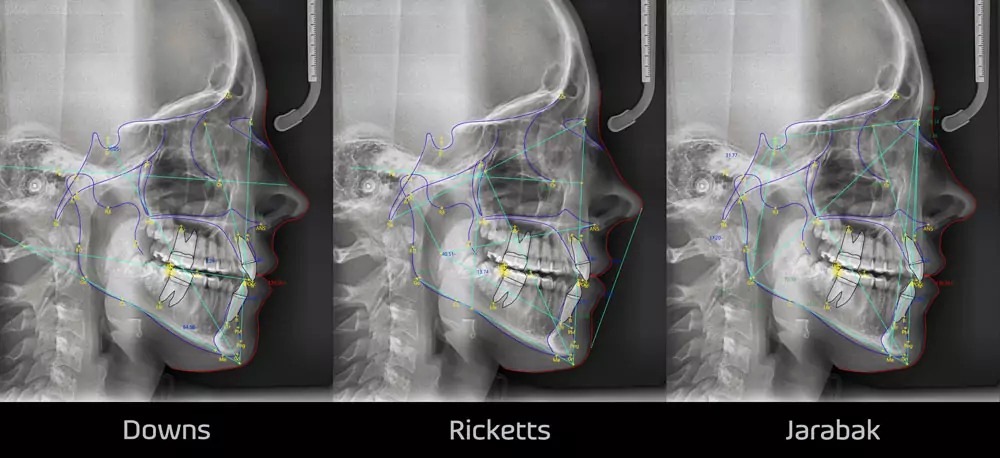
Cephalometric Analysis is based on Ceph X-ray images with tooth-skeletal correlation analysis and is mainly used by dentists, orthodontists, and Oral and Maxillofacial Surgeons to plan treatment.
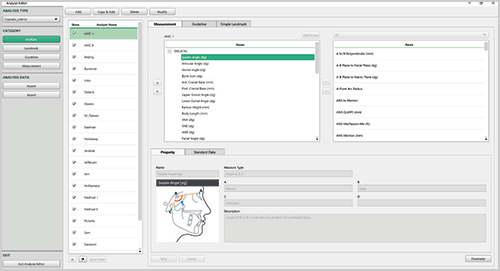
These methods are commonly used when diagnosing a patient or planning treatment. EzOrtho provides 15 major analysis methods, including Steiner and Downs.
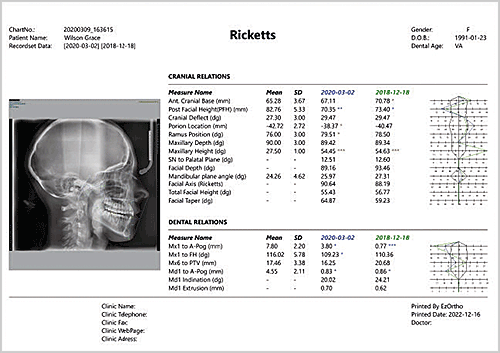
When the user selects an analysis method, relevant anatomical guidelines are drawn automatically, and measurements are calculated automatically. In the Analysis Chart, users can see the traced X-ray image and analysis results at the same time.
3D Visual Communication Tool
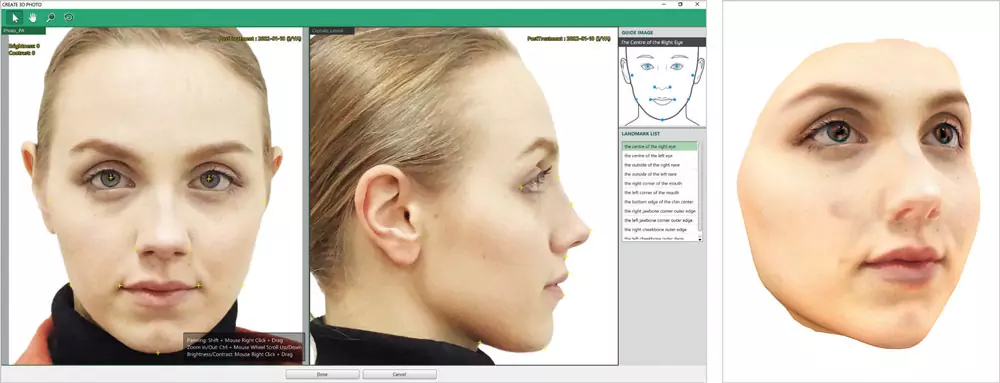
EzOrtho generates a 3D Photo from a patient's frontal and lateral photo images. Talk to a patient in 3D with their own face — EzOrtho enables treatment planning and consultation with a patient's face from various angles.
The latest orthodontic technologies allow orthodontists to create a highly personalized plan for each patient and to closely track treatment progress.
Morphing and Comparing
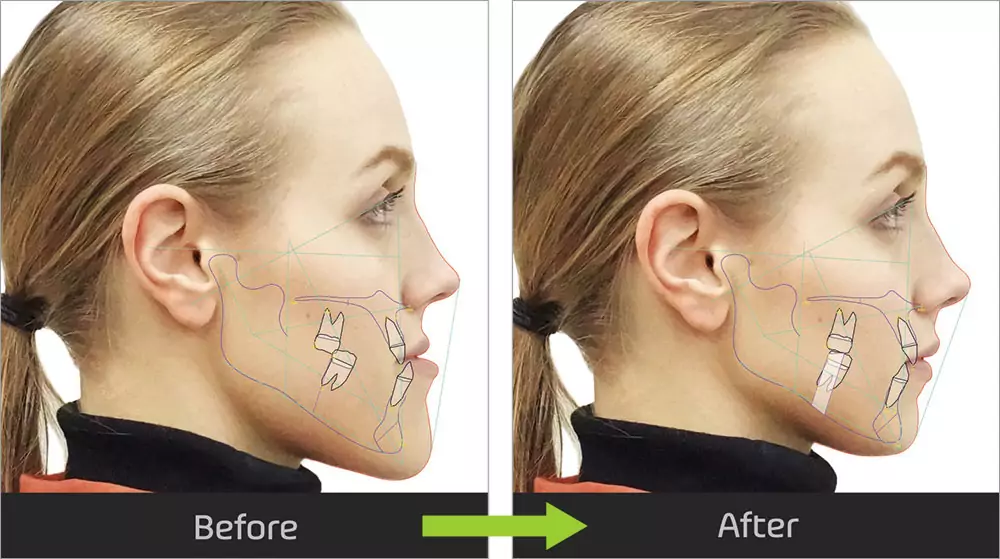
VTO / STO — Morphing & Comparing facial features can be a useful patient consultation tool for all patients and it can be created at any point during the orthodontic treatment.
These features can be used with both 2D and 3D photos, helping a patient to better understand the treatment objective. Since a 3D photo is closer to the patient's actual face, it acts as an effective visual aid during consultation.
The dentist can also use the Morphing & Comparing feature to verify that the patient's orthodontic treatment is progressing according to the treatment plan.
Providing Educational Videos for Consultation
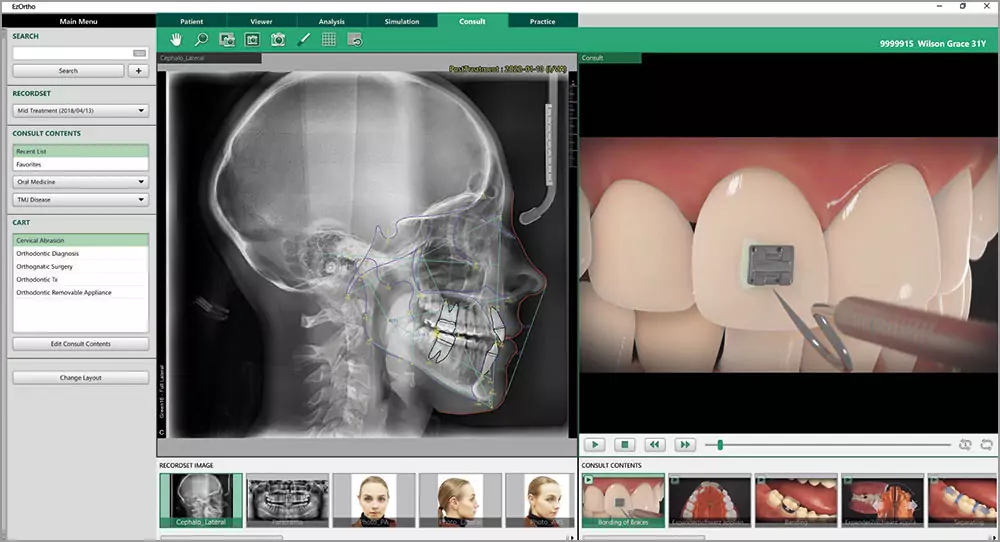
Consult Premium is a consultation tool that simplifies communication with patients who are not familiar with X-ray imaging and/or dental terminology.
It comes with 244 animated videos explaining clinical treatments for various diagnostic fields, including 22 videos for orthodontic treatment.
Smart Recordset
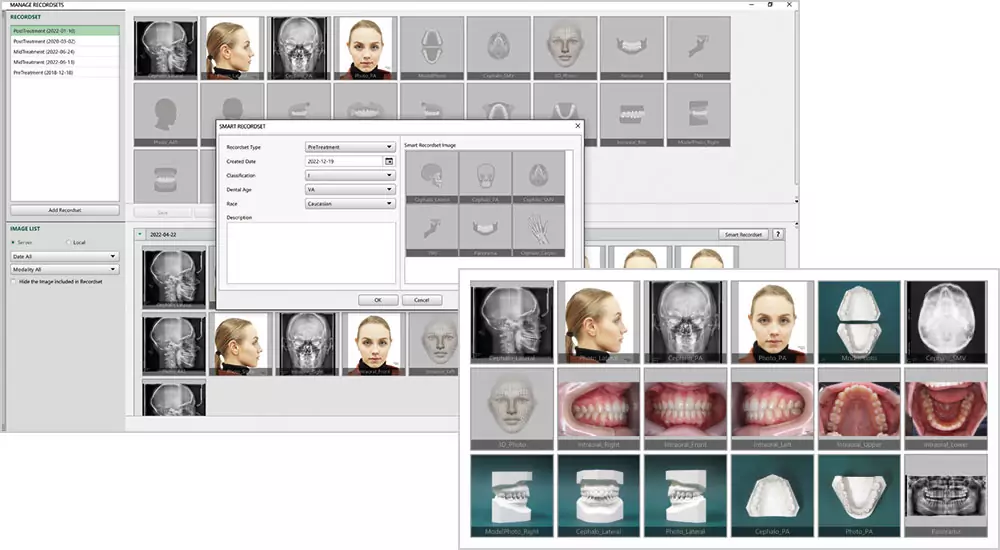
We can automate simple and time-consuming tasks. Click the Smart Recordset button to create a new Recordset of the selected date. Images saved on the same date as the selected image will be automatically saved to the same Recordset.
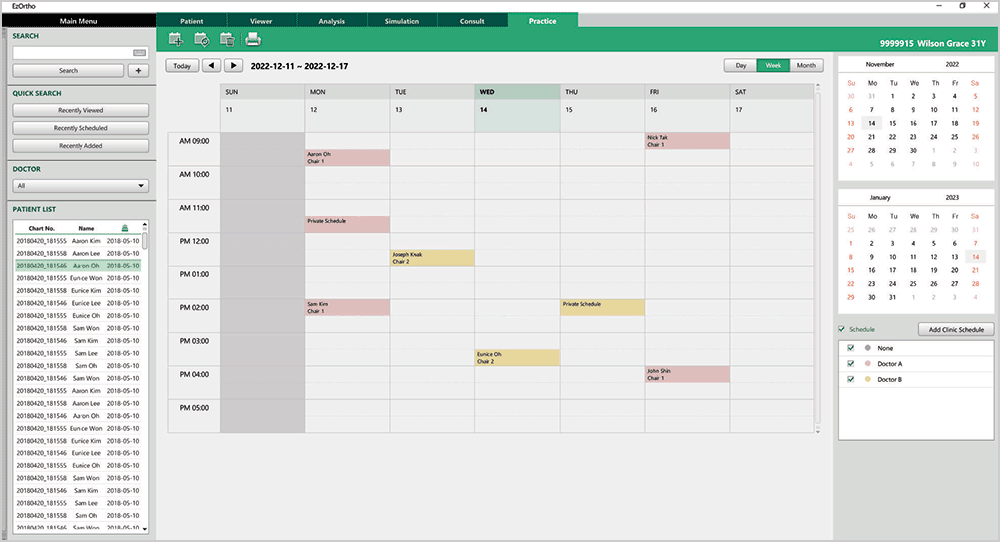
Appointment Management
In-Clinic reservation status can be managed by day, week, and month. When dentists treat patients in multiple departments, it is easy to share treatment schedules among clinicians by registering and managing clinicians' individual schedules.
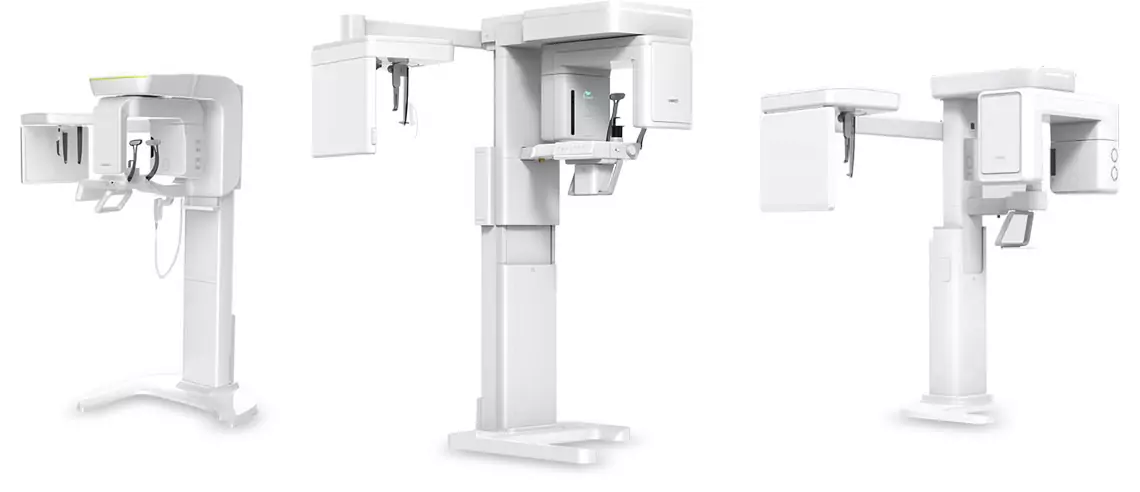
Orthodontic Software Optimized for Vatech's Cephalometric Equipment
EzOrtho is designed to work seamlessly with Vatech CBCT systems and cephalometric units for a fully integrated digital workflow.
PC Specifications for EzOrtho
| Category | Minimum | Recommended |
|---|---|---|
| CPU | Dual-Core @ 3.5GHz | Quad-Core @ 3.4GHz+ |
| RAM | 2GB | 4GB+ |
| HDD | 500GB free | 1TB+ free |
| OS | Windows 10 | Windows 10 |
| Resolution | 1280 x 1024 | 1920 x 1080+ |
| Network | 100M Ethernet / 802.11n | 1G Ethernet / 802.11ac+ |
| Category | Minimum | Recommended |
|---|---|---|
| CPU | Dual-Core @ 2.53GHz | Dual-Core @ 3.2GHz+ |
| GPU | Internal/External GPU OpenGL 3.2 | Internal/External GPU OpenGL 4.0+ |
| RAM | 2GB | 4GB+ |
| HDD | 11GB free | 15GB+ free |
| OS | Windows 10 | Windows 10 |
| Resolution | 1366 x 768 | 1920 x 1080+ |
| Network | 100M Ethernet / 802.11n | 1G Ethernet / 802.11ac+ |
Ready to Transform Your Orthodontic Workflow?
Get expert guidance on integrating EzOrtho into your practice.